Category: Computers

  • Samsung Z-Fold 8 Ultra Review

    Samsung Z-Fold 8 Ultra Review

    Introduction

    When the Samsung Galaxy Z-Fold, released in September 2019, came on the market, I was intrigued. But even before it reached store shelves, the press quickly found major issues, and while it found buyers, it was not a great start to a new paradigm in smart phones.

    It was also expensive at approximately $2000 US!

    Samsung quickly iterated on the design, and version 2, which followed in September 2020, was a much more solid design. It was just as expensive, but fixed quite a few of the flaws of the original.

    Eight years later we have the Galaxy Z-Fold 8 ($1900 US) and Z-Fold 8 Ultra ($2100 US). These are just as or even more expensive, but much more mature. 

    I finally decided to take the plunge: I bought the Galaxy Z-Fold 8 Ultra. I chose the Ultra over the base Fold because I wanted as slim a fold as I could find, one which would slip into my pocket easily. 

    The Bad

    I only have a single complaint and that is the power button, which is used to wake the phone, and also has the fingerprint sensor, is tiny and hard to find.This is especially true when the phone is closed and I’m in a hurry.

    It’s not an impossible situation, of course, and I’m getting used to it, but it’s odd Samsung decided to use such a small button for such an important task. This button is not only used to power on the phone, but also to wake it, sign in, and when double-clicked, to open the camera application. If you long press it, it brings up the digital assistant (Gemini AI), and when used in combination with the volume down button, it takes a screenshot.

    The Good

    Battery Life

    Phone battery life is one of those things that makes no sense to me. The last two I had, both Pixel phones, lasted two entire days on a single charge when I first got them. Within a couple of months, that changed to a day plus.

    So far the battery life of the Z-Fold 8 Ultra has been excellent. It typically exceeds two entire days. Note that this is with the phone mostly closed.

    Why is it mostly closed? 

    Multitasking

    When open, the Z-Fold 8 Ultra is exceptional at multitasking. If I need to use two apps simultaneously, it handles the scenario effortlessly. Typically this is an app that requires multi-factor authentication and my MFA app. I open them side-by-side or one on top, the other on the bottom.

    I do this often, but not constantly, and part of the reason is because the phone is only so big. It’s roughly the size of an iPad Mini, which is 195.4 x 134.8 mm or 7.69 x 5.31 inches. The Z-Fold 8 Ultra is 158.4 x 143.2 mm or 6.24 x 5.64 inches.

    This is almost twice as big as a typical large phone screen, but tiny compared to a 13-inch laptop. I personally find that size of laptop screen too small to tile two large windows side-by-side. For example, if I want to open a banking app and Excel on that size of laptop, I switch between them instead. The screen size isn’t big enough in my opinion to handle that particular scenario.

    Other Reasons to Open Up

    There are other reasons to open the phone, like to watch a video, something I don’t do very often. I prefer that on a much larger screen, like on a computer or TV. Reading is another good reason, or viewing and editing photos. Taking notes. And there are a myriad other reasons to unfold the Z-Fold.

    The Crease

    When I open the Z-Fold 8 Ultra and look for the crease, it’s there. I can see it if I strain my eyes enough, but only in bright light. 

    Is it a big deal? No. Does it matter to me? Not at all.

    Fact is, the crease is meaningless unless for some reason you focus on it and it bothers you. 

    The Camera

    I used to have unrealistic expectations for the cameras built into my phones. I bought a previous Samsung Galaxy phone because it had a 10X optical zoom lens, but I didn’t use the zoom that much. Fact is, I mostly take pictures of my dogs, clouds, flowers, and people.

    I don’t need a long zoom and the Z-Fold 8 Ultra so far has taken photos every bit as good or better than any previous phone I’ve owned, including Pixels made by Google.


    Conclusions

    For me, a phone is all about the ability to use apps that help me manage my life. That includes being able to keep in touch with loved ones, keep an eye on my job, take and edit photos, take notes, manage my finances, shop, and use AI for questions.

    How does the Z-Fold 8 Ultra handle these tasks? It handles them well, and it excels in many ways, because when I open it, I have a larger canvas to work with. The extra real estate makes many of these tasks simpler because it expands the work area, and provides me with enough room to run two apps side-by-side.

    It’s an expensive phone,and I couldn’t really afford it, but I wanted to experience it for myself. I’ve owned the Microsoft Surface Duo before, and it had so much potential, but was wasted by an implementation that failed to capitalize on the two screens. 

    The Samsung Z-Fold 8 Ultra doesn’t do this. It does have some features, like Flex Mode, which seem a little half-baked, but over time, as foldables become mainstream, I think we’ll see these and other features make them unique compared to non-foldables.

  • Pebble Index 01 Review

    Pebble Index 01 Review

    The Pebble Index 01 Review

    The Bad

    Let’s get the bad news out of the way first.

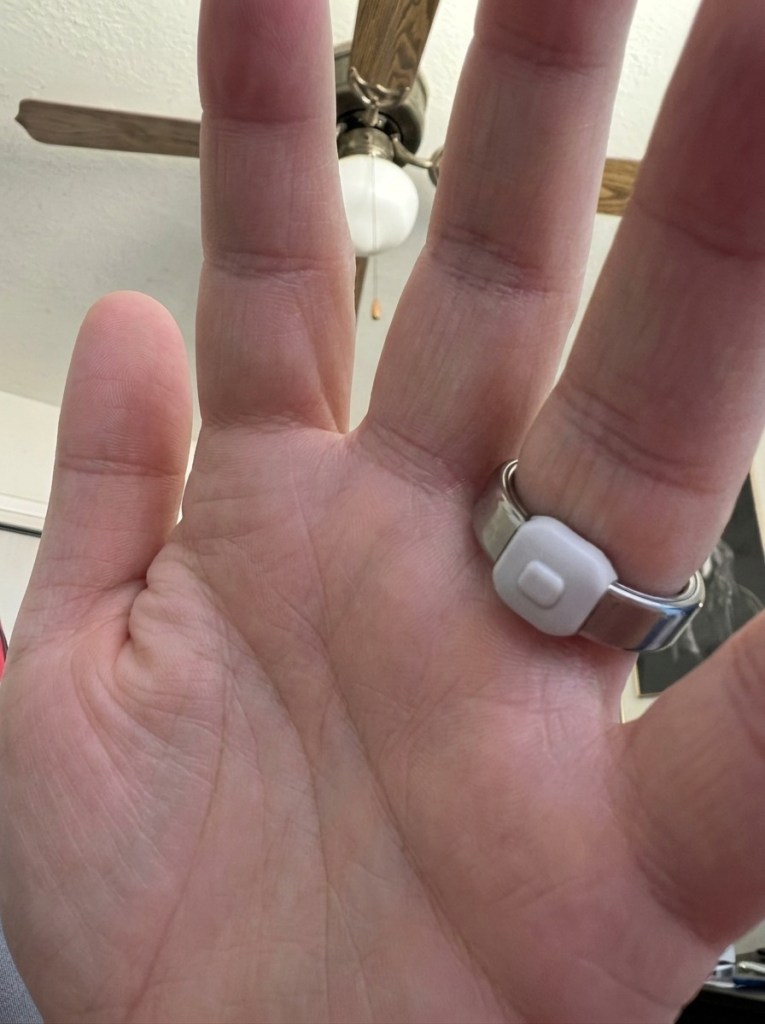
    I’ve had problems almost daily, sometimes more than once per day, where I get false recordings.Somehow, I’ve pressed the button on the Index 01, which has registered as me recording a note, but it was only depressed for a second or two, and all it captured was static.

    This happens when driving, gripping some object in the same hand, or for a number of other reasons. It makes sense, really, because the button on the ring faces whatever object I’m holding in that hand. I’ve reported the problem to Pebble and asked them to add a setting where the software just ignores short recordings but they haven’t done so yet.

    And that’s really my only complaint. Otherwise the ring has held up well, and has performed better than I’ve expected.I don’t always wear it when I wash my hands or do yard work, but I do oftentimes, and have yet to have an issue.

    The Good

    Reminders

    The Index 01 excels at capturing reminders. All I have to do is press the button, bring my hand up to my mouth and say, “remind me at 12:30 to check the mail” and almost instantly it adds the reminder to the Pebble app.

    You can map reminders and notes to other apps, but the Pebble app works remarkably well as a way to get notified. I actually find how Pebble handles creating reminders much simpler and easier than using Tasks in Android. Even using Gemini to automatically create a new reminder is more of a hassle than just holding down the button and telling the ring to create one.

    Notes

    I honestly haven’t found a good use for notes. I create them, but I don’t have a great need for short-form notes. It’s also annoying to hold down the button on the Index 01 for more than a few seconds at a time.

    Questions

    When you double-click the button, you can ask questions. This is handy to get a quick, AI generated response for common questions. It’s another way to avoid using something like Gemini, which is great at answering questions, but can be a pain to invoke and wait for. Instead, the answer appears as a notification on your phone, and appears in a special section of the app along with your notes, reminders, shopping list, and other questions/answers.

    Shopping List

    Pebble has a special “Shopping list” category you can add items to, which is very handy.

    The Rest

    The Index 01 is sold as an open source ring that can integrate with other products and services, such as MCP. I haven’t tried to integrate it with anything except for Obsidian and Google Tasks. It works fine with Obsidian, but when Pebble adds reminders to Google Tasks, only the date and text come through, not the time. 

    A support rep from Pebble says this is a limitation of Google Tasks.

    Final Thoughts

    The only real problem I’ve had with the Index 01 is keeping track of it. If I don’t wear it all the time, I sometimes lose it. I once lost it outside, and another time in the recliner I normally sit in. Since it costs $75 (for now), it’s not something I would like to have to replace.

    But it’s useful, especially when opening my phone is something I shouldn’t do, like when driving. Or when I leave my phone in the house and I’m out in the yard. Then it’s invaluable, especially since my entire life is governed by reminders. I use them every day, all day, and I can’t remember a damned thing without them.

    I like the Index 01 so much I even ordered a watch from Pebble, the Pebble Time 2. It has a 1.5″ 64 color e-paper touch screen and stainless steel frame, and is much more low-tech than my current watch, the Pixel Watch 4. It also will have a substantially better battery life. I look forward to that and I don’t think I’ll miss the Gemini integration the Pixel offers.

  • The Architect of My Own Reality

    The Architect of My Own Reality

    I’ve spent the day vibe coding an app that has allowed me to create something that mirrors my unbridled enthusiasm and creativity. I know that sounds stupid, but I realized there’s no one around to tell me this isn’t possible.

    And since I’ve yet to reach my $20 a month limit in Cursor, and the app works as I’ve designed it to work, I’m happy. So, I decided to write about why vibe-coding is so much better than my day job. But instead of writing it myself, I let Gemini 3.1 Flash Lite do it for me, based on my prompt, of course.

    I also edited it a bit:

    In my day job, I am a professional software tester. My life is defined by the friction of the “No.”

    I spend my hours documenting elegant solutions, identifying critical edge cases, and proposing features that would make the user experience seamless. I send these tickets off into the void, only to have them return with a status update that feels like a cold splash of water:

    Won’t Fix. Out of Scope. Resource Constrained.

    In the real world, software is a compromise. It’s a series of negotiations between what is ideal and what is budget friendly. I am the person who sees the potential, but I’m not the person who holds the purse strings.

    Then, I close my work laptop and open my personal terminal. I start to “vibe code.”

    The Infinite Canvas

    When I vibe code, the dynamic shifts entirely. The hierarchy of the corporate office dissolves. There is no product manager to tell me that my vision is “not on the roadmap.” There is no lead developer to sigh and tell me that the architecture won’t support the change.

    When I am vibe coding, I am the business analyst, the coder, and the user all at once.

    If I decide that a button should glow when hovered, it glows. If I decide that the data should flow through a custom-built pipeline that defies standard conventions, I build it. And if I hit a wall—if the laws of physics or the limitations of a specific library make a feature technically impossible, I deal with it.

    The Absence of “No”

    The beauty of vibe coding isn’t that everything is easy; it’s that the intent is never rejected.

    When I encounter a limitation, the programmer, the version of myself that exists in the flow state, never says “No.” Instead, the conversation becomes a creative pivot.

    • The Real World: “We can’t implement that feature because the legacy database doesn’t support real-time updates.” (The conversation ends.)
    • Vibe Coding: “The database doesn’t support real-time updates? Okay, let’s build a middleware cache or switch to a different engine. Let’s find a way to make it happen.” (The conversation evolves.)

    In this space, a limitation is not a dead end; it is simply a prompt for a different path. I am never told that my idea is invalid. I am never told that my curiosity is a waste of time. I am never told that the project is “good enough” as it is.

    The Joy of Unrestricted Creation

    There is a profound, almost meditative joy in this autonomy. Vibe coding allows me to reclaim the agency I lose during the nine-to-five. It turns the act of programming from a chore of compliance into an act of pure expression.

    When I am vibe coding, I am not just testing the work of others; I am manifesting my own. I am learning that while the world may have its constraints, my imagination does not. And as long as I am the one at the keyboard, the answer to “Can we do this?” will always be the same:

    Let’s see how we can make it work.

  • I Don’t Miss Obsidian One Bit

    I Don’t Miss Obsidian One Bit

    When I found Obsidian it felt like a major score. OneNote by then was long in the tooth. Useful, yes, full-featured, absolutely, but also old and hard to work with. Plus, OneNote often creates ugly notes as you copy from various sources and paste into it. If you don’t take the time to format notes consistently, the fonts and other formatting get out of control quickly.

    Obsidian not only offered a gorgeous font that was consistently applied to every note, but notes are plain text (markdown), easy to back up, and formatting is as simple as typing a few characters.Then there’s plugins. Thousands of them. Able to handle just about any task Obsidian can’t handle on its own. 

    Problem is, it seemed like I needed a new plugin every week. Every single shortcoming in the application could be overcome by a simple download. This became tiring. Exhausting even.

    Suddenly I was a slave to an application instead of its master. What at first was simple, beautiful even, became ugly, tiresome, and I began to hate it.

    Yes, I hate Obsidian. I can’t stand using it anymore. 

    Then someone at work mentioned using Google Docs for notes. 

    I investigated and it appealed to me for a number of reasons.

    1. While Obsidian requires a plugin to allow semantic search, as long as what you store in Google Drive, which is where Google Docs is hosted, is in a format and structure it understands, it’s fully searchable with Gemini
    2. Similar to OneNote, and unlike Microsoft Word, a Google Docs document can have multiple tabs, or sections, which means one document can serve as the container for many different notes
    3. It’s all backed by Google, which is already my main provider of mobile operating system, e-mail, reminders, calendar events, and AI
    4. It gets me away from plugins, which are a blight on humanity as far as I’m concerned
    5. It offers the same sorts of formatting options as OneNote, but is less complicated

    There are a few downsides because it’s mostly web-based, at least on PC. But so far that hasn’t been an issue. And it has excellent native support on Android.

    In the end, it’s yet another note taking application, but it’s also more than that. Similar to Microsoft’s Office suite, I can create documents, spreadsheets, and presentations all in one place, and I no longer have to keep notes in a completely separate application.

    It doesn’t mean I’ve done away with a family subscription to Office 365. My daughter and I need all the cloud space it provides for our legacy documents, photos, and other files, and I still use Excel on occasion, but I’m finding Google Drive and Google Docs a welcoming new home for most everything else I do.

  • AI Can Be Useful

    AI Can Be Useful

    Artificial intelligence is a much hated technology and for good reason. Like all the advances before it, it’s being leveraged by big tech as the be-all, end-all solution for all the world’s problems. It can lower costs, drive revenue, prevent fraud, and do it all cheaply. 

    Or so we’re led to believe.

    To be honest, though, AI isn’t bad. It’s the people who use it poorly and worsen our lives with it, they are the problem.Fortunately, we too can use it, and we can use it wisely.

    There are hundreds of uses for AI, but here are a few I find it particularly good at.

    Building Software

    Proficient coders will tell you AI is a superpower, but only if you know what you’re doing. I agree that’s the case when creating production software, but I create software for myself. 

    In my case, I vibe-code the entire project, and I never look at the source code. I ask Cursor Agents, my IDE of choice, to write the code and tests, investigate issues, etc., and I serve as the business analyst and software tester. 

    It does the rest.

    I also create and configure the GitHub repo, but Cursor Agents handles creating branches, committing the code, and pushing it. 

    And it does an excellent job. None of my projects are huge, and all the coding is done with either the Auto model or using Grok 4.5 High, but it very inexpensively serves the role as code creator and maintainer. 

    Recommending

    I recently chatted with Gemini about books. I told it the kinds of books I like to read, giving it several examples of ones I have enjoyed, as well as some basic information about what I like and dislike. I then uploaded a list of all the Kindle books I hope to one day buy, and asked Gemini to review the list.

    It pointed out how many of them didn’t meet the criteria I had outlined, because they were too technical, or written poorly, or there was some other issue with them. And it recommended several other books. I let it know which I’d already read and liked, added a few it suggested to my list, and now I have a pinned conversation in Gemini I can use anytime I need a book recommendation.

    This is an activity that AI is custom-made for. You could, for example, give it a list of TV shows or movies or video games that you like, and several you don’t, and ask for suggestions. And if you’re already familiar with ones it suggests, go back and forth with it until it understands your preferences and suddenly you have a valuable recommendation machine.

    Sorting Thoughts

    There are days when I feel upset, or have questions on my mind, or maybe I’m just wondering how something in the world works. In these cases I often turn to AI. I tell it what I’m thinking, what my problem is, or what my question is. We chat, exchanging comments, suggestions, and questions until I’m satisfied.

    This is another one of those situations AI is good at. No, it can’t solve all my problems, but it’s excellent as a sounding board, and it has a vast array of knowledge. I do this often, most of the time using the interactive feature in Gemini, where it’s always on, listening for my input, then it responds.

    We chat until I’m satisfied.

    Teaching Me

    I always have lots of questions. 

    I’m constantly wondering about technology, products, gardening, and more. I often turn to AI in these situations, providing it with pictures or other information. It almost always provides solid answers that help me understand the world we live in.

    I’ve gone from knowing almost nothing about how to set up a repo in GitHub properly to actually understanding the difference between CodeQL and Dependabots. I now understand better how to care for the plants in my yard. I have a better understanding about how smart phones, versus bridge cameras or full-frame cameras, work.

    AI encompasses the world’s knowledge, and if you are careful enough, and aren’t too naive, it can help you understand it.

    Reminding Me

    I couldn’t survive without the reminders I keep on my Android phone, or the calendar events I have for appointments. They keep me from forgetting all of the various things I need to do.

    But sometimes I just need a quick way to remember something. With Gemini, I can tell it things, and later, ask it to remind me about a fact I committed to it. I can do the same with notes in Google Keep, or in Google Drive, and Gemini can find those too. 

    It’s a persistent memory store that I can turn to at any point on my phone or computer and retrieve information I would otherwise lose to my aging mind.

    Assisting with Video Games

    Video games are an important aspect of my life, and have been for over 40 years. But my middle-aged brain, eyes, and hands don’t work like they used to. 

    Enter AI.

    Not only can I ask for game recommendations, but it also helps with understanding how accessible and/or difficult a game is, how long a game is, where I’m currently at in the game, and occasionally, it helps me get through a game. 

    In those cases though, my personal opinion is, if I need a walkthrough to complete a game, it’s not worth playing.

    Since chatbots like Gemini have access to all of the FAQs, reviews, opinion pieces, walkthroughs, and other information on video games, it’s the perfect place to answer all my questions.

    And So Much More

    This of course isn’t all AI can do. 

    I use it constantly, and while there are times it’s frustrating, where maybe I say, “Hey, Google,” to my smart watch or smartphone and it doesn’t respond, or I ask it a question and it returns something that doesn’t resemble an accurate response.

    But when it works, it’s like magic. It provides access to so much information, and does it so well so much of the time, it has become indispensable.

  • Getting The Sims 3 to Work on a Modern Gaming PC

    Getting The Sims 3 to Work on a Modern Gaming PC

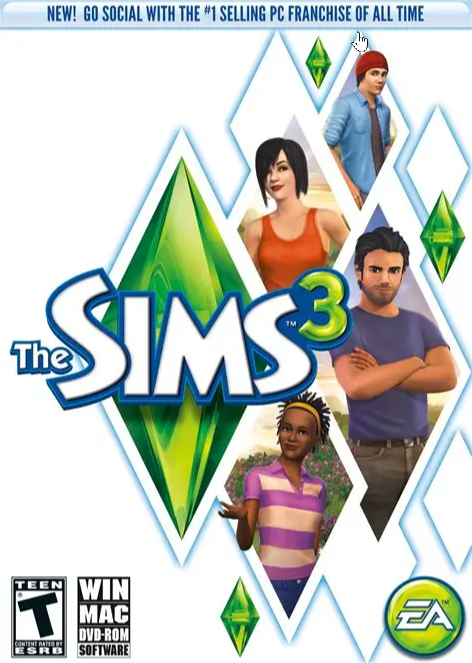
    EA’s The Sims 3 dates back to 2009. At that time, a typical gaming PC had an Intel Core 2 Duo or Core 2 Quad CPU, or an AMD Phenom II X4. The GeForce GTX 260 and GTX 275 were hot GPUs, as well as the AMD Radeon HD 4850 and HD 4870. Most computers had 2 to 4GB RAM, and video cards had 512MG to 1GB RAM. Mechanical hard drives were all the rage.

    Today, those specs have been completely oblierated by even the cheapest modern gaming PC. And while EA has given The Sims 3 a few updates over the years, the game still can’t handle the CPUs, GPUs, or the available memory of current PCs. Gamers have had to rely on community modders and hackers to trick the game into believing it’s running on old PC hardware.

    Recently I spent a day and a half scouring the Internet with the help of Gemini, trying to get The Sims 3 working on my daughter’s PC, to no avail. I tried all the mods, all the hacks, but nothing worked. Later, she had some success by going through a ritual of uninstalling and reinstalling the game, and rebooting her PC. Sometimes she would have to do this for hours until she got it working.

    Enter Cursor.

    I gave it all the info I could find about how to get the game working, plus it performed online searches, and it created a patcher utility that it claimed would allow the game to run. But every time my daughter would patch the game, it wouldn’t work. In the end, I installed Cursor, Git, and GitHub CLI on my daughter’s PC, cloned the code, and worked with Cursor to investigate the issue.

    Cursor scoured the game’s installation folder, examined her saved games, and made fixes. I would test those fixes, provide feedback, and it made more changes. Finally, after a couple of hours of me inputting requirements then testing, the game started running reliably. Further testing, where I shut her PC down, powered it on again, and launched the game, proved it worked. Then I completely uninstalled and reinstalled The Sims 3, patched it, and tried the game.

    It worked.

    Now she can consistently run the game every day, and it works.

    If you’d like to try the patcher, you can install it from my GitHub repository.

    The Sims 3 Patcher Tool

    Please let me or the various Sims communities know if it helps you run the game reliably.

  • Video Game Violence Isn’t Violence

    Video Game Violence Isn’t Violence

    Just as I know that holding a conversation with AI isn’t the same as holding one with another human being, I know that killing virtual beings in a virtual universe isn’t the same as killing in the real world.

    When I started playing computer games in the early 1980s, graphics were primitive. Firing missiles and dropping bombs in the original F-15 Strike Eagle on the Commodore 64 required the suspension of disbelief because everything in the game, including the plane and the world, weren’t realistic looking.

    F-15 Strike Eagle

    It wasn’t long before programmers learned how to make computers like the C64 depict more realistic images. Then came along better hardware, such as the Atari ST and the Amiga. Now killing began to look like killing. Then PCs upped the ante by increasing the number of on-screen colors all the way up to 256, then to millions. This, along with the addition of more pixels and more powerful graphics cards, gave developers unbelievable power.

    By the early 1990s we had cringe-worthy video game violence. Games like Castle Wolfenstein, Mortal Combat, Doom, and more, showed gore that disgusted right-wing Christians and had moms asking for such games to be banned.

    Mortal Kombat

    Today there’s no question of whether violence is depicted with sufficient detail in modern video games. The hardware and software are more than capable, and it no longer requires you to imagine it. You only have to open your eyes to see.

    I’ll admit, I play a lot of violent games. And I’m not a big fan of little indie titles where farming, dating, or running a bookstore is the main focus. I prefer big, Triple-A RPGs, shooters, and similar where making progress involves killing bad guys.

    Castle Wolfenstein

    Sometimes they aren’t even bad guys.

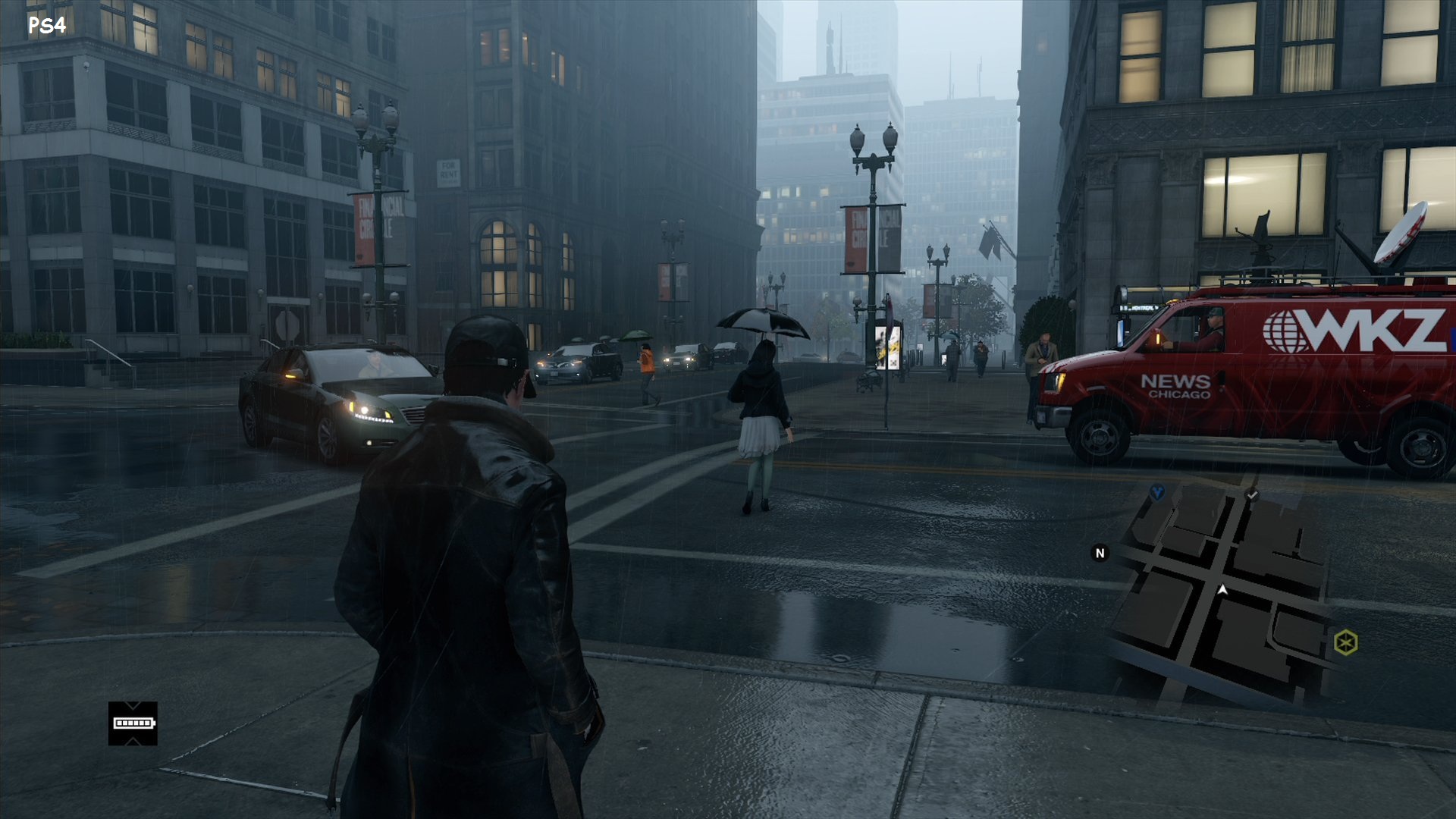
    For example, I’m currently replaying the original WatchDogs, a game I’ve completed several times before. Here, you’re billed as The Vigilante, but the game lets you steal from common folk, shoot and run them over, assassinate people who are supposed to be bad, and otherwise wreak havoc on a simulated version of Chicago.

    Do I cringe as I kill and steal in a game like WatchDogs? I do. And I always have.

    But since I know what I’m doing has nothing to do with reality, and I’m not preparing myself to go out and kill in the real world, these feelings I feel as I kill virtual beings just serve to remind me that, yes, I am human, and yes, life is precious.

    That’s what we need to remember with whatever sort of entertainment we rely on.

    When we read, watch TV, play games, chat with AI, surf the Internet, etc., and what we’re experiencing makes us feel uneasy, and we wonder if maybe it’s reinforcing the worst in us, we are human, we value life, and we make a decision every day to preserve it.

  • Cursor Continues to Save My Life

    Cursor Continues to Save My Life

    I’m a middle-aged man who has worked in the software development industry for 35 years and has been computing for 45. I’ve learned a lot, but I’ve also forgotten a lot. I can honestly say that something I work on one day, week, or month, is forgotten the next.

    That’s where Cursor comes in.

    Not only can it review, edit, and write code for me, but it can also search through my documents and find information I often forget. Case in point, I was revisiting some UI automation I had worked on in June, and although it had only been about six weeks, I had completely forgotten the name of a SQL script I had written to reset data.

    I knew I had written it, but wasn’t sure if I had completed it, if it worked, where it resided, or anything else about it, so I asked Cursor:

    “I created a sql script earlier this year to reset the document designer changes in the associated databases. look for references to that work”

    It found it!

    I opened it in Notepad++ and didn’t recognize it, and it was clear it had been generated by AI (most likely by Gemini). It took me a few minutes to prove it was the correct one, but when I found a copy of it in a virtual machine, it looked promising.

    I asked Cursor a follow-up question:

    “If I remember correctly, what the script DeleteDocumentLayouts (latest) does is wipe out all the documents and then you have to reimport them. Are there notes specifically mentioning that?”

    And it confirmed exactly that. Now I was sure this was THE script I had used successfully in June.

    This isn’t an isolated incident. There are numerous occasions I’ve relied on Cursor to search documents, to confirm that a branch has been merged into Github, and more. It’s not just a coding tool; it is a universal AI tool especially focused on activities having to do with the file system or code.

    When I get a chance I’ll write about how I used Cursor at home to vibe code a patching tool for The Sims 3. Initially it didn’t work quite right, so I installed Cursor on my daughter’s computer, and it helped troubleshoot and update the patcher and got The Sims 3 working. This is a notoriously difficult old video game that Electronic Arts has failed to patch for modern systems, but Cursor figured it out.

  • The Long Road Back to Amiga: A MiSTer FPGA Post-Mortem

    The Long Road Back to Amiga: A MiSTer FPGA Post-Mortem

    Return to the Amiga

    I am a huge Commodore fan and have been since the very early 1980s. I bought an Amiga 1000 the fall of 1985, and an Amiga 500 a few years later. The Amiga was my sole personal computer until around 1983, and I played hundreds of amazing games on it in the 8 years I owned it.

    When I bought a MiSTer FPGA a month or two ago, it was mostly so I could play many of those old Amiga games again. Little did I know the amount of work it would take to get the games onto the MiSTer.  This post mortem details at least some of the steps I took to fruitlessly try to get Amiga games working as .hdf files on the MiSTer FPGA. 

    AI as the Sole Source of Truth

    I have relied on AI, Gemini in this case, every step away. Interestingly, it has proven to be a double-edged sword. It’s been invaluable in some respects, and downright stupid in others. It’s often provided incorrect information, or led me down pathways that didn’t work. It was also sometimes unwilling to provide any information, which forced me to coax it out of it. 

    I admit I rely heavily on Gemini for most things nowadays, and I relied on it here, to my detriment. Had I been more knowledgeable about these matters, I might have had a better outcome.

     The Journey

    • Amiga Vision – I read that Amiga Vision provided an all-in-one solution with hundreds of games. I just had to download and copy some folders to my SD-CARD. I either downloaded the wrong version (I don’t think that was the case) or it somehow didn’t copy over correctly because it didn’t work. I got errors on the MiSTer FPGA when I tried to use it.
    • Conversion – I downloaded .lha files from WHDLoad and was directed by Gemini to use a Bash script to convert them to .hdf files.This didn’t work even though I was using Git Bash, AmiTools, and some GnuWin32 utilities. In the end I had Cursor fix the script to get it working..
    • Bash –  A critical failure occurred where the script logic, likely due to improper variable handling or file path iteration, effectively mapped the same game file into every generated .hdf file, resulting in a batch of corrupted or redundant images. This was resolved, or at least partially so, by adding a line to the Bash script to delete the tmp folder before copying new game files.
    • Amiga Forever – Attempting to create a boot hard drive (DH0) in Amiga Forever failed because that environment is unable to create SCSI hard drives that are compatible. In the end, I could create the initial .hdf file in Amiga Forever, then had to copy it to the SD-CARD, and boot it in MiSTer FPGA, and from there, set the drive information, partition it, format it, and install Workbench 3.1.
    • WHDLoad – Once I got my Workbench 3.1 hard drive working, I attempted to mount a game .hdf file, but found it was missing WHDLoad. Gemini directed me to use a PowerShell script it created to inject WHDLoad into the .hdf files.
    • WHDLoad Continued – I abandoned the automated batch approach in favor of manually injecting files into a master .hdf. This required using the Amiga shell to manually handle the installation of the WHDLoad package. This was difficult because I had to copy the WHDLoad files to the boot drive, and install it. In the end, I created a floppy disk in Amiga Forever, copied the necessary files to it, then copied that to the SD-CARD, and was able to copy it to the hard drive and install it.
    • Mismatched Files – A recurring issue involved the game .slave file on the .hdf. When the .lha was initially unpacked, the internal naming conventions in the .hdf file didn’t match the expected launch parameters, forcing me to manually rename the slave files within the Amiga environment. Potentially, this would have to be done for every .hdf game file, or maybe the Bash script could be altered to do it for me, which would require converting all of the .lha files again.
    • Amiga Vision Again – Finally, after many false starts, Gemini directed me to again install the AmigaVision structure to source the necessary Kickstart ROMs and .RTB files manually, validating them against the requirements of the specific Workbench 3.1 setup.
    • It Works! –  Bewilderingly, when I mounted Amiga Vision in the MiSTer FPGA, it worked, providing a list of hundreds of games I could play. I tried running a couple, and they just worked!

    Final Thoughts

    This whole experience has been illuminating and frustrating, and I’ve felt helpless while Gemini continued to pump out information that I wasn’t knowledgeable enough to refute. I often got upset with Gemini, raised my voice at it, letting it know how displeased I was with it. This of course made no difference to it.

    I have working games via Amiga Vision and my old floppy images, and I’m happy about that. I’ve also spent more time using AmigaDOS and WorkBench in the last several days than I have in 35 years, which has been fun and interesting. It’s also a bit bewildering to see how antiquated yet perfectly functional this old operating system is.

    The worst part is how much time this has taken. I was fortunate to have a few days off work and spent most of several days doing nothing but this. Of course, I could have spent the time playing games, but this is all new to me, since I have never had a MiSTer FPGA before. Also, I’ve been buying new versions of Amiga Forever for probably 20+ years, but I’ve never spent that much time using it.

    My recommendation if you decide to buy a MiSTer FPGA or similar just to play Amiga games is go with Amiga Vision and hopefully it works for you. Playing games from floppy images works fine, but it’s nice to have a unified launcher and a list of hundreds of games to play.

  • Torment: Tides of Numenara

    Torment: Tides of Numenara

    If you are new to Torment: Tides of Numenera, the combat system might surprise you. While it eventually becomes manageable as you master cyphers and esoteries, it represents a departure from more traditional, action-oriented RPGs. 

    Combat Against The First

    Combat is framed around distinct, narrative-driven “Crises” where environmental interactions, stealth, and dialogue often take precedence over standard hack-and-slash fighting. It can feel clunky compared to other turn-based RPGs because characters move and attack slowly, actions lack physical punch, and the mechanics force players to constantly micro-manage three distinct stat pools just to boost hit percentages. 

    One of the Many Machines Created by The Changing God

    When you first start the game, you’re exposed to systems that seem unusual, especially when weighed against Dungeons and Dragons or other RPGs. The terminology and the whole world is alien. But it’s a consistent universe, one that is unflinching in its detail and story. 

    And then there’s the fact that it’s a fantastic game. It’s a game of immense choice, sprawling dialogue, and a vast array of science-fiction tropes.

    A Maw in the The Bloom

    Torment: Tides of Numenera explores advanced science-fiction tropes ranging from transhumanism, sentient artificial intelligence, and dimensional travel to biomechanical engineering and ancient cosmic phenomena. It centers on the concept of immortality achieved through synthetic body-hopping, investigating the psychological fallout of leaving behind a trail of abandoned, sentient clones. 

    An Encounter with The Sorrow in a Mere

    And it’s almost purely text-based. There is very little spoken dialogue, so prepare yourself to read from beginning to end. Fortunately, it’s exceptionally well written. You may not always understand it, but your mind and heart will be titillated the entire time.

    Torment: Tides of Numenera released in 2017 on Windows, Xbox One, PS4, Mac, and Linux. It has a 81 Metacritic score and a Mostly Positive user rating of 71% on Steam. And while it has similar mechanics to something like Disco Elysium, its developers, InXile Entertainment, created it as the spiritual successor to Planescape: Torment.

    Conversing with The Sorrow

    It definitely has a similar vibe and mechanics to both of those games, and while it’s vastly different in many ways, if you’re a fan of text-heavy games that payoff with choice and consequence, it’s a must-play RPG.

  • I Abandoned Obsidian for Google Docs

    I Abandoned Obsidian for Google Docs

    My note-taking journey started with Evernote in the early 2000s. Back then, there were no smartphones, so Evernote was only available as a desktop app. I soon switched to OneNote, which was superior in most ways. I stuck with the desktop version of OneNote for 20 years, although I tried a lot of different note-taking apps on mobile devices.

    A couple of years back I settled on Obsidian as my main note-taking app, but it didn’t take long to tire of it. While I loved the clean text, the solid markdown editor, and the expansive plug-in ecosystem, search was a mess, and using an AI plug-in like Gemini Scribe only partially solved the problem.

    In the end, I couldn’t reliably find my notes in Obsidian, and I got tired of using plug-ins as a band-aid for a fundamentally broken application. After hearing about a project at work to migrate notes from OneNote to Google Drive, I did some testing and found that Google Docs works well as a repository for my notes. And even better, it’s simple to reliably search those docs using Gemini.

    Also, Google Docs is fully integrated with Gemini, allowing me to leverage the technology as a writing assistant, something Obsidian doesn’t natively support. All of the solutions it offers are via plug-ins, which require creating API keys in platforms like Google AI Studio. 

    The big hurdle was determining how to migrate my existing Obsidian vault to Google Drive. For this task I used Cursor to write a Python script that leverages Google Cloud and the Google Docs API to seamlessly take the notes, convert the markdown and images, and create folders, docs, and tabs to correspond to every note.

    After some trial and error, I migrated all my notes into Google Drive, and I’m happy with the outcome. Using Google Docs on my phone isn’t quite as convenient as a phone app, but it works. And Google Docs works well on the desktop.

    If you’re interested in migrating your Obsidian vault to Google Drive and Docs, I open-sourced two scripts:

    Obsidian-Vault-2-GoogleDocs-Migration

    Obsidian-Folder-2-Google-Document-Migration

    The first script migrates an entire Obsidian vault to Google Drive. The second migrates only the .md files in a single folder to a folder in Google Drive.

    I created the second script because I want to continue creating notes in a single folder in Obsidian, and then migrate those notes to Google Drive. The script only moves notes that don’t already exist in Google Drive, and it creates a new doc for each new note.

    This differs from the first script. Its main focus is to take each folder of .md files from the vault and create a corresponding doc in Google Drive, with each appearing as its own tab. Folders in the vault that don’t contain files are still recreated in Google Drive if they contain subfolders with notes. 

    If you have questions about my journey, or about using either script, feel free to reach out.

  • Bridging the Capability Gap With AI

    Bridging the Capability Gap With AI

    In my post, Vibe Coding is all About the Requirements, I talk about how I’ve spent more than half my life programming but I’m still not a great programmer. I judge myself a 5 or 6 on a 1-10 scale, and no self-respecting software development manager would hire a 5 or 6 to work on production code.

    So, while I can code, I know my limitations, and there are many of them. 

    What I can do effectively, at least as a hobbyist, is vibe code, not only whole programs in languages and for platforms I have no experience with, but also modify or fix existing code, scripts, etc., that aren’t working correctly. I can also host a vibe-coded application on a platform like GCP, which I have a little experience with. 

    For most programming tasks, I use Cursor with its Composer 2.5 Standard model. It helped me write a digital collage tool to slice images into pieces, manipulate them individually with filters and edits, and reassemble them into a brand-new composition. This is a client-side JavaScript web app managed via NPM, utilizing HTML5 Canvas for image manipulation and hosted entirely on Firebase. 

    I also used Cursor to write a Python script to migrate my entire Obsidian vault, images and formatting included, into Google Docs. 

    These are projects I never would have dreamed about tackling, but with AI, I’m finally able to. Not only does the technology expand my set of capabilities and save me time but also helps me to innovate in areas I never would have previously considered.

  • Vibe Coding is all About the Requirements

    Vibe Coding is all About the Requirements

    I’m not a great programmer. Good but nothing more. And that’s with 35 years of experience programming, and almost as much working in software development roles, mostly in QA. That experience does give me a great understanding of requirements, though.

    This knowledge, along with an awareness of security and vulnerability issues, equips me to build applications using vibe coding.

    I’ll admit I don’t have a ton of ideas for the kinds of apps I want. Some, like a note taking alternative to OneNote and Obsidian, seem out of reach. They require cross-platform mobile development, app store deployment, and competing against a massive, saturated market.

    And other projects, like games, are too much work. Yes, I can get a prototype going but where do I take it from there? Trying to devise all the rules and handle playtesting is difficult.

    What I do excel at are utilities. Programs to help automate and assist me while using my computer. And with the experience I have with computers, especially Windows, and the many utilities I’ve written over the last several decades without the assistance of AI, I feel like I understand the workflow involved.

    I say all of this because it’s important to know not only what you need or want, but how you’ll know it is what you need once you begin testing your new vibe coded app.

    To do this effectively, it’s important to have experience with similar apps, and to see the faults in those apps and understand how you might overcome them. If you know it could be better, but you’re not sure how, you might want to spend time with a chatbot and converse about it. Give it an example of an app that isn’t working, what you expect from it, and see if it can offer ideas on how to improve the experience.

    Use these insights to define your requirements and acceptance criteria. Requirements are the what and why. The high-level capabilities of the application, the business value, and/or the functions the app should offer. Acceptance criteria tell you when it’s ready. It involves testing and validation.

    Once the app does what you expect it to do, you’re done. Or almost done.

    You’ll also want to have AI write unit tests that are run regularly. And it’s important to ask it to write code that is manageable, secure, and doesn’t present vulnerabilities. Then take the finished code and run it through a second AI chatbot or coding platform, get its opinions, and continue to improve it.

    I also recommend you upload it to GitHub.com as soon as you can. It’s free for most private or public projects, and it keeps your code safe. It’s worth investing the time and effort in learning how to use GitHub.

    By following these steps, ensuring you know what you want upfront, validating that the resulting application matches your requirements, and safeguarding it in GitHub or a similar on-line repository, you can find success with vibe coding.

    Just know that vibe coding doesn’t take the work out of software development. It just moves it up the stack, so instead of filling the role of coder, you become a business analyst and tester instead.

  • Technology Has Outgrown the Batteries that Power It

    Technology Has Outgrown the Batteries that Power It

    With the advent of the iPhone, computers lost their identity. Suddenly, a phone could do most of what a computer could do, and though it would take more than a decade for humans to realize it, eventually we understood we didn’t necessarily need a laptop or desktop anymore.

    Phones and tablets not only became great devices for consuming websites, but replaced computers for e-mail, finances, social media, and just about anything else we needed.

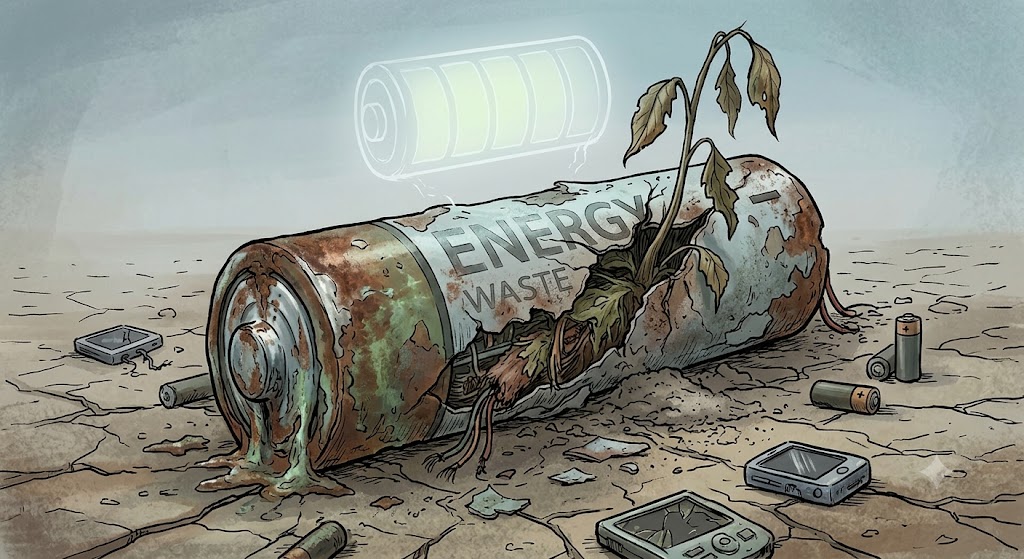
    The problem with this technological convergence is these devices: smart phones, smart watches, and tablets, have become overly complicated, to the point where we have to constantly tether them to a power source because everything we do on them eats away at their batteries.

    For me personally, I try to make recharging predictable, so every two days I charge my phone first thing in the morning, and hopefully, less frequently with my watch. But usage can be unpredictable, and suddenly one or the other plummets into a low power state, and it’s time to charge them again.

    This is a phenomenon we didn’t see with traditional watches, old feature phones, and cameras. Their batteries were relatively predictable, and we could count on days, for some devices, even months or years, of usage. Now all bets are off, and no matter what the manufacturer claims, our phones and tablets often suddenly die because of an unusual usage pattern, or maybe from a software bug.

    Regardless of the why, we pay for our use of these innovative devices with the inconvenience of having to charge them often.

  • Life

    Life

    When I first started using computers, in the early 1980s, when I was around 20 years-old, I didn't know I had any limitations. 

    I wasn't interested in programming, not until almost 10 years later, but I loved using those early computers. Learning all about them. Using word processors, spreadsheets, databases, utilities, 3D modeling and paint programs, and playing video games.

    When I did start programming, I didn't run into any issues. Then I got a job in software development, using PCs and Macs instead of Commodore 64s and Amigas, but they didn't present a hurdle. If anything, they seemed inferior to my amazing Amiga!

    In the mid-90s, I did start to see some limitations with my programming capabilities, but I just worked around them. I didn't see them as a problem, or as something that would keep me from advancing or doing my job.

    More recently, I've realized there are many things that have held me back. Not only my ability to master programming at a high level, but also my inherent disinterest in making that a full-time occupation. And how unwilling I have been to form long lasting bonds with peers, learn the politics of large organizations, all of which would have allowed me to move up the ladder.

    Today I know I have many shortcomings. I realize my life is limited in many ways, and even with the things I'm currently interested in, I can only go so far. I can't suddenly become manager material, become a top-flight engineer, or an expert in AI that suddenly causes headhunters to bang on my door.

    My life is what it is, for better or worse. I have a good job, get paid pretty well, but now that I'm older, my life is set. I won't suddenly become the CEO of a big company, start my own business, write the next great app, or anything of the sort.

    I'll just keep plugging along.
  • The MacBook Neo is a Gift to Windows

    The MacBook Neo is a Gift to Windows

    I’m not the target market for high-end laptops. I don’t care if my laptop is made from plastic or aluminum, has a screen with 500 nits of brightness or 200, and has audiophile quality speakers or sounds kind of terrible.

    I mostly want a laptop that can get the job done.

    Having said that, I realize many of you do care, which is why the MacBook Neo is important. It’s the MacBook for people who can’t afford a MacBook.

    The thing is, this is the wakeup call that the Windows platform has needed, and while it may have taken them years to catch up to the MacBook Air, it’s taking just a couple of months for them to catch up the Neo.

    It won’t be long before there are multiple colorful laptops from every manufacturer that match the Neo in not only price, but in features. They’ll have better build quality then we usually see at this price point, as well as top-notch screens, trackpads, and speakers. They’ll soon match or exceed those of the Neo, and Apple and the rest will be locked in a battle of who can build the best sub-$1000 laptop.

    In other words, Apple has gifted Windows with the best present it could ever have thought of. Not only did it wake up Asus, Dell, and many others, but Microsoft is now actively improving Windows, desperately trying to prove to the world that it’s still the operating system to beat.

    It won’t be long before we see these improvements make a huge difference in how Windows works, how reliable it is, and how easy and pleasant it is to use. We’ll all have access to our own low-cost Windows laptops that provide quality multitasking that I expect will beat anything Apple can do.

    This should signal to Apple that they need to up their game, provide a new Neo that beats not only the original, but also all of the quality Windows laptops that came in its wake.

    Now we just need to wait.