Category: Camera

  • Samsung Z-Fold 8 Ultra Review

    Samsung Z-Fold 8 Ultra Review

    Introduction

    When the Samsung Galaxy Z-Fold, released in September 2019, came on the market, I was intrigued. But even before it reached store shelves, the press quickly found major issues, and while it found buyers, it was not a great start to a new paradigm in smart phones.

    It was also expensive at approximately $2000 US!

    Samsung quickly iterated on the design, and version 2, which followed in September 2020, was a much more solid design. It was just as expensive, but fixed quite a few of the flaws of the original.

    Eight years later we have the Galaxy Z-Fold 8 ($1900 US) and Z-Fold 8 Ultra ($2100 US). These are just as or even more expensive, but much more mature. 

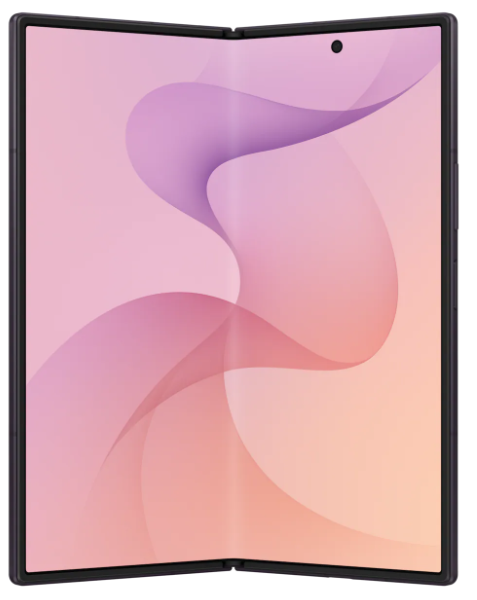
    I finally decided to take the plunge: I bought the Galaxy Z-Fold 8 Ultra. I chose the Ultra over the base Fold because I wanted as slim a fold as I could find, one which would slip into my pocket easily. 

    The Bad

    I only have a single complaint and that is the power button, which is used to wake the phone, and also has the fingerprint sensor, is tiny and hard to find.This is especially true when the phone is closed and I’m in a hurry.

    It’s not an impossible situation, of course, and I’m getting used to it, but it’s odd Samsung decided to use such a small button for such an important task. This button is not only used to power on the phone, but also to wake it, sign in, and when double-clicked, to open the camera application. If you long press it, it brings up the digital assistant (Gemini AI), and when used in combination with the volume down button, it takes a screenshot.

    The Good

    Battery Life

    Phone battery life is one of those things that makes no sense to me. The last two I had, both Pixel phones, lasted two entire days on a single charge when I first got them. Within a couple of months, that changed to a day plus.

    So far the battery life of the Z-Fold 8 Ultra has been excellent. It typically exceeds two entire days. Note that this is with the phone mostly closed.

    Why is it mostly closed? 

    Multitasking

    When open, the Z-Fold 8 Ultra is exceptional at multitasking. If I need to use two apps simultaneously, it handles the scenario effortlessly. Typically this is an app that requires multi-factor authentication and my MFA app. I open them side-by-side or one on top, the other on the bottom.

    I do this often, but not constantly, and part of the reason is because the phone is only so big. It’s roughly the size of an iPad Mini, which is 195.4 x 134.8 mm or 7.69 x 5.31 inches. The Z-Fold 8 Ultra is 158.4 x 143.2 mm or 6.24 x 5.64 inches.

    This is almost twice as big as a typical large phone screen, but tiny compared to a 13-inch laptop. I personally find that size of laptop screen too small to tile two large windows side-by-side. For example, if I want to open a banking app and Excel on that size of laptop, I switch between them instead. The screen size isn’t big enough in my opinion to handle that particular scenario.

    Other Reasons to Open Up

    There are other reasons to open the phone, like to watch a video, something I don’t do very often. I prefer that on a much larger screen, like on a computer or TV. Reading is another good reason, or viewing and editing photos. Taking notes. And there are a myriad other reasons to unfold the Z-Fold.

    The Crease

    When I open the Z-Fold 8 Ultra and look for the crease, it’s there. I can see it if I strain my eyes enough, but only in bright light. 

    Is it a big deal? No. Does it matter to me? Not at all.

    Fact is, the crease is meaningless unless for some reason you focus on it and it bothers you. 

    The Camera

    I used to have unrealistic expectations for the cameras built into my phones. I bought a previous Samsung Galaxy phone because it had a 10X optical zoom lens, but I didn’t use the zoom that much. Fact is, I mostly take pictures of my dogs, clouds, flowers, and people.

    I don’t need a long zoom and the Z-Fold 8 Ultra so far has taken photos every bit as good or better than any previous phone I’ve owned, including Pixels made by Google.


    Conclusions

    For me, a phone is all about the ability to use apps that help me manage my life. That includes being able to keep in touch with loved ones, keep an eye on my job, take and edit photos, take notes, manage my finances, shop, and use AI for questions.

    How does the Z-Fold 8 Ultra handle these tasks? It handles them well, and it excels in many ways, because when I open it, I have a larger canvas to work with. The extra real estate makes many of these tasks simpler because it expands the work area, and provides me with enough room to run two apps side-by-side.

    It’s an expensive phone,and I couldn’t really afford it, but I wanted to experience it for myself. I’ve owned the Microsoft Surface Duo before, and it had so much potential, but was wasted by an implementation that failed to capitalize on the two screens. 

    The Samsung Z-Fold 8 Ultra doesn’t do this. It does have some features, like Flex Mode, which seem a little half-baked, but over time, as foldables become mainstream, I think we’ll see these and other features make them unique compared to non-foldables.
  • AI Can Be Useful

    AI Can Be Useful

    Artificial intelligence is a much hated technology and for good reason. Like all the advances before it, it’s being leveraged by big tech as the be-all, end-all solution for all the world’s problems. It can lower costs, drive revenue, prevent fraud, and do it all cheaply. 

    Or so we’re led to believe.

    To be honest, though, AI isn’t bad. It’s the people who use it poorly and worsen our lives with it, they are the problem.Fortunately, we too can use it, and we can use it wisely.

    There are hundreds of uses for AI, but here are a few I find it particularly good at.

    Building Software

    Proficient coders will tell you AI is a superpower, but only if you know what you’re doing. I agree that’s the case when creating production software, but I create software for myself. 

    In my case, I vibe-code the entire project, and I never look at the source code. I ask Cursor Agents, my IDE of choice, to write the code and tests, investigate issues, etc., and I serve as the business analyst and software tester. 

    It does the rest.

    I also create and configure the GitHub repo, but Cursor Agents handles creating branches, committing the code, and pushing it. 

    And it does an excellent job. None of my projects are huge, and all the coding is done with either the Auto model or using Grok 4.5 High, but it very inexpensively serves the role as code creator and maintainer. 

    Recommending

    I recently chatted with Gemini about books. I told it the kinds of books I like to read, giving it several examples of ones I have enjoyed, as well as some basic information about what I like and dislike. I then uploaded a list of all the Kindle books I hope to one day buy, and asked Gemini to review the list.

    It pointed out how many of them didn’t meet the criteria I had outlined, because they were too technical, or written poorly, or there was some other issue with them. And it recommended several other books. I let it know which I’d already read and liked, added a few it suggested to my list, and now I have a pinned conversation in Gemini I can use anytime I need a book recommendation.

    This is an activity that AI is custom-made for. You could, for example, give it a list of TV shows or movies or video games that you like, and several you don’t, and ask for suggestions. And if you’re already familiar with ones it suggests, go back and forth with it until it understands your preferences and suddenly you have a valuable recommendation machine.

    Sorting Thoughts

    There are days when I feel upset, or have questions on my mind, or maybe I’m just wondering how something in the world works. In these cases I often turn to AI. I tell it what I’m thinking, what my problem is, or what my question is. We chat, exchanging comments, suggestions, and questions until I’m satisfied.

    This is another one of those situations AI is good at. No, it can’t solve all my problems, but it’s excellent as a sounding board, and it has a vast array of knowledge. I do this often, most of the time using the interactive feature in Gemini, where it’s always on, listening for my input, then it responds.

    We chat until I’m satisfied.

    Teaching Me

    I always have lots of questions. 

    I’m constantly wondering about technology, products, gardening, and more. I often turn to AI in these situations, providing it with pictures or other information. It almost always provides solid answers that help me understand the world we live in.

    I’ve gone from knowing almost nothing about how to set up a repo in GitHub properly to actually understanding the difference between CodeQL and Dependabots. I now understand better how to care for the plants in my yard. I have a better understanding about how smart phones, versus bridge cameras or full-frame cameras, work.

    AI encompasses the world’s knowledge, and if you are careful enough, and aren’t too naive, it can help you understand it.

    Reminding Me

    I couldn’t survive without the reminders I keep on my Android phone, or the calendar events I have for appointments. They keep me from forgetting all of the various things I need to do.

    But sometimes I just need a quick way to remember something. With Gemini, I can tell it things, and later, ask it to remind me about a fact I committed to it. I can do the same with notes in Google Keep, or in Google Drive, and Gemini can find those too. 

    It’s a persistent memory store that I can turn to at any point on my phone or computer and retrieve information I would otherwise lose to my aging mind.

    Assisting with Video Games

    Video games are an important aspect of my life, and have been for over 40 years. But my middle-aged brain, eyes, and hands don’t work like they used to. 

    Enter AI.

    Not only can I ask for game recommendations, but it also helps with understanding how accessible and/or difficult a game is, how long a game is, where I’m currently at in the game, and occasionally, it helps me get through a game. 

    In those cases though, my personal opinion is, if I need a walkthrough to complete a game, it’s not worth playing.

    Since chatbots like Gemini have access to all of the FAQs, reviews, opinion pieces, walkthroughs, and other information on video games, it’s the perfect place to answer all my questions.

    And So Much More

    This of course isn’t all AI can do. 

    I use it constantly, and while there are times it’s frustrating, where maybe I say, “Hey, Google,” to my smart watch or smartphone and it doesn’t respond, or I ask it a question and it returns something that doesn’t resemble an accurate response.

    But when it works, it’s like magic. It provides access to so much information, and does it so well so much of the time, it has become indispensable.

  • Technology Has Outgrown the Batteries that Power It

    Technology Has Outgrown the Batteries that Power It

    With the advent of the iPhone, computers lost their identity. Suddenly, a phone could do most of what a computer could do, and though it would take more than a decade for humans to realize it, eventually we understood we didn’t necessarily need a laptop or desktop anymore.

    Phones and tablets not only became great devices for consuming websites, but replaced computers for e-mail, finances, social media, and just about anything else we needed.

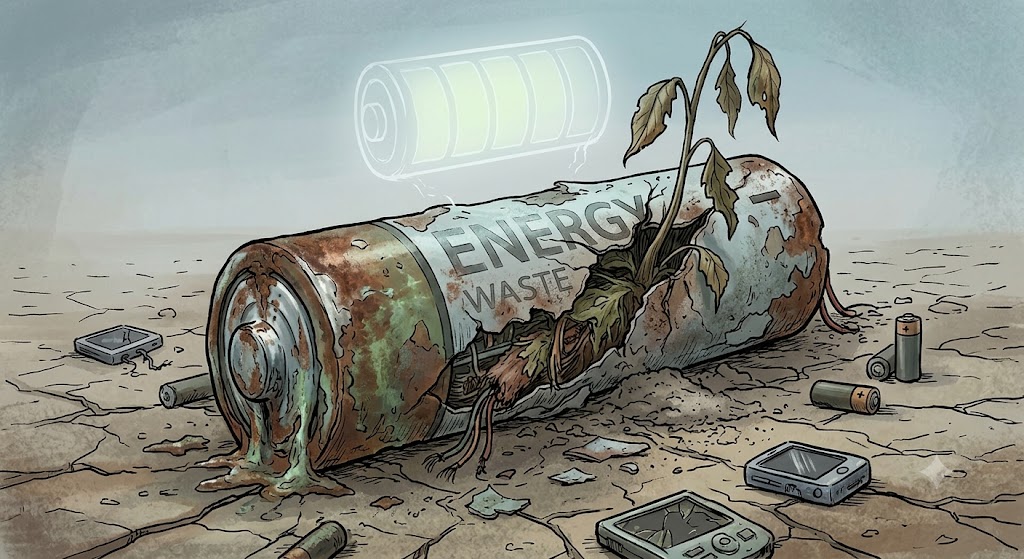
    The problem with this technological convergence is these devices: smart phones, smart watches, and tablets, have become overly complicated, to the point where we have to constantly tether them to a power source because everything we do on them eats away at their batteries.

    For me personally, I try to make recharging predictable, so every two days I charge my phone first thing in the morning, and hopefully, less frequently with my watch. But usage can be unpredictable, and suddenly one or the other plummets into a low power state, and it’s time to charge them again.

    This is a phenomenon we didn’t see with traditional watches, old feature phones, and cameras. Their batteries were relatively predictable, and we could count on days, for some devices, even months or years, of usage. Now all bets are off, and no matter what the manufacturer claims, our phones and tablets often suddenly die because of an unusual usage pattern, or maybe from a software bug.

    Regardless of the why, we pay for our use of these innovative devices with the inconvenience of having to charge them often.