Category: Vibe Coding

  • Cursor Continues to Save My Life

    Cursor Continues to Save My Life

    I’m a middle-aged man who has worked in the software development industry for 35 years and has been computing for 45. I’ve learned a lot, but I’ve also forgotten a lot. I can honestly say that something I work on one day, week, or month, is forgotten the next.

    That’s where Cursor comes in.

    Not only can it review, edit, and write code for me, but it can also search through my documents and find information I often forget. Case in point, I was revisiting some UI automation I had worked on in June, and although it had only been about six weeks, I had completely forgotten the name of a SQL script I had written to reset data.

    I knew I had written it, but wasn’t sure if I had completed it, if it worked, where it resided, or anything else about it, so I asked Cursor:

    “I created a sql script earlier this year to reset the document designer changes in the associated databases. look for references to that work”

    It found it!

    I opened it in Notepad++ and didn’t recognize it, and it was clear it had been generated by AI (most likely by Gemini). It took me a few minutes to prove it was the correct one, but when I found a copy of it in a virtual machine, it looked promising.

    I asked Cursor a follow-up question:

    “If I remember correctly, what the script DeleteDocumentLayouts (latest) does is wipe out all the documents and then you have to reimport them. Are there notes specifically mentioning that?”

    And it confirmed exactly that. Now I was sure this was THE script I had used successfully in June.

    This isn’t an isolated incident. There are numerous occasions I’ve relied on Cursor to search documents, to confirm that a branch has been merged into Github, and more. It’s not just a coding tool; it is a universal AI tool especially focused on activities having to do with the file system or code.

    When I get a chance I’ll write about how I used Cursor at home to vibe code a patching tool for The Sims 3. Initially it didn’t work quite right, so I installed Cursor on my daughter’s computer, and it helped troubleshoot and update the patcher and got The Sims 3 working. This is a notoriously difficult old video game that Electronic Arts has failed to patch for modern systems, but Cursor figured it out.

  • The Long Road Back to Amiga: A MiSTer FPGA Post-Mortem

    The Long Road Back to Amiga: A MiSTer FPGA Post-Mortem

    Return to the Amiga

    I am a huge Commodore fan and have been since the very early 1980s. I bought an Amiga 1000 the fall of 1985, and an Amiga 500 a few years later. The Amiga was my sole personal computer until around 1983, and I played hundreds of amazing games on it in the 8 years I owned it.

    When I bought a MiSTer FPGA a month or two ago, it was mostly so I could play many of those old Amiga games again. Little did I know the amount of work it would take to get the games onto the MiSTer.  This post mortem details at least some of the steps I took to fruitlessly try to get Amiga games working as .hdf files on the MiSTer FPGA. 

    AI as the Sole Source of Truth

    I have relied on AI, Gemini in this case, every step away. Interestingly, it has proven to be a double-edged sword. It’s been invaluable in some respects, and downright stupid in others. It’s often provided incorrect information, or led me down pathways that didn’t work. It was also sometimes unwilling to provide any information, which forced me to coax it out of it. 

    I admit I rely heavily on Gemini for most things nowadays, and I relied on it here, to my detriment. Had I been more knowledgeable about these matters, I might have had a better outcome.

     The Journey

    • Amiga Vision – I read that Amiga Vision provided an all-in-one solution with hundreds of games. I just had to download and copy some folders to my SD-CARD. I either downloaded the wrong version (I don’t think that was the case) or it somehow didn’t copy over correctly because it didn’t work. I got errors on the MiSTer FPGA when I tried to use it.
    • Conversion – I downloaded .lha files from WHDLoad and was directed by Gemini to use a Bash script to convert them to .hdf files.This didn’t work even though I was using Git Bash, AmiTools, and some GnuWin32 utilities. In the end I had Cursor fix the script to get it working..
    • Bash –  A critical failure occurred where the script logic, likely due to improper variable handling or file path iteration, effectively mapped the same game file into every generated .hdf file, resulting in a batch of corrupted or redundant images. This was resolved, or at least partially so, by adding a line to the Bash script to delete the tmp folder before copying new game files.
    • Amiga Forever – Attempting to create a boot hard drive (DH0) in Amiga Forever failed because that environment is unable to create SCSI hard drives that are compatible. In the end, I could create the initial .hdf file in Amiga Forever, then had to copy it to the SD-CARD, and boot it in MiSTer FPGA, and from there, set the drive information, partition it, format it, and install Workbench 3.1.
    • WHDLoad – Once I got my Workbench 3.1 hard drive working, I attempted to mount a game .hdf file, but found it was missing WHDLoad. Gemini directed me to use a PowerShell script it created to inject WHDLoad into the .hdf files.
    • WHDLoad Continued – I abandoned the automated batch approach in favor of manually injecting files into a master .hdf. This required using the Amiga shell to manually handle the installation of the WHDLoad package. This was difficult because I had to copy the WHDLoad files to the boot drive, and install it. In the end, I created a floppy disk in Amiga Forever, copied the necessary files to it, then copied that to the SD-CARD, and was able to copy it to the hard drive and install it.
    • Mismatched Files – A recurring issue involved the game .slave file on the .hdf. When the .lha was initially unpacked, the internal naming conventions in the .hdf file didn’t match the expected launch parameters, forcing me to manually rename the slave files within the Amiga environment. Potentially, this would have to be done for every .hdf game file, or maybe the Bash script could be altered to do it for me, which would require converting all of the .lha files again.
    • Amiga Vision Again – Finally, after many false starts, Gemini directed me to again install the AmigaVision structure to source the necessary Kickstart ROMs and .RTB files manually, validating them against the requirements of the specific Workbench 3.1 setup.
    • It Works! –  Bewilderingly, when I mounted Amiga Vision in the MiSTer FPGA, it worked, providing a list of hundreds of games I could play. I tried running a couple, and they just worked!

    Final Thoughts

    This whole experience has been illuminating and frustrating, and I’ve felt helpless while Gemini continued to pump out information that I wasn’t knowledgeable enough to refute. I often got upset with Gemini, raised my voice at it, letting it know how displeased I was with it. This of course made no difference to it.

    I have working games via Amiga Vision and my old floppy images, and I’m happy about that. I’ve also spent more time using AmigaDOS and WorkBench in the last several days than I have in 35 years, which has been fun and interesting. It’s also a bit bewildering to see how antiquated yet perfectly functional this old operating system is.

    The worst part is how much time this has taken. I was fortunate to have a few days off work and spent most of several days doing nothing but this. Of course, I could have spent the time playing games, but this is all new to me, since I have never had a MiSTer FPGA before. Also, I’ve been buying new versions of Amiga Forever for probably 20+ years, but I’ve never spent that much time using it.

    My recommendation if you decide to buy a MiSTer FPGA or similar just to play Amiga games is go with Amiga Vision and hopefully it works for you. Playing games from floppy images works fine, but it’s nice to have a unified launcher and a list of hundreds of games to play.

  • I Abandoned Obsidian for Google Docs

    I Abandoned Obsidian for Google Docs

    My note-taking journey started with Evernote in the early 2000s. Back then, there were no smartphones, so Evernote was only available as a desktop app. I soon switched to OneNote, which was superior in most ways. I stuck with the desktop version of OneNote for 20 years, although I tried a lot of different note-taking apps on mobile devices.

    A couple of years back I settled on Obsidian as my main note-taking app, but it didn’t take long to tire of it. While I loved the clean text, the solid markdown editor, and the expansive plug-in ecosystem, search was a mess, and using an AI plug-in like Gemini Scribe only partially solved the problem.

    In the end, I couldn’t reliably find my notes in Obsidian, and I got tired of using plug-ins as a band-aid for a fundamentally broken application. After hearing about a project at work to migrate notes from OneNote to Google Drive, I did some testing and found that Google Docs works well as a repository for my notes. And even better, it’s simple to reliably search those docs using Gemini.

    Also, Google Docs is fully integrated with Gemini, allowing me to leverage the technology as a writing assistant, something Obsidian doesn’t natively support. All of the solutions it offers are via plug-ins, which require creating API keys in platforms like Google AI Studio. 

    The big hurdle was determining how to migrate my existing Obsidian vault to Google Drive. For this task I used Cursor to write a Python script that leverages Google Cloud and the Google Docs API to seamlessly take the notes, convert the markdown and images, and create folders, docs, and tabs to correspond to every note.

    After some trial and error, I migrated all my notes into Google Drive, and I’m happy with the outcome. Using Google Docs on my phone isn’t quite as convenient as a phone app, but it works. And Google Docs works well on the desktop.

    If you’re interested in migrating your Obsidian vault to Google Drive and Docs, I open-sourced two scripts:

    Obsidian-Vault-2-GoogleDocs-Migration

    Obsidian-Folder-2-Google-Document-Migration

    The first script migrates an entire Obsidian vault to Google Drive. The second migrates only the .md files in a single folder to a folder in Google Drive.

    I created the second script because I want to continue creating notes in a single folder in Obsidian, and then migrate those notes to Google Drive. The script only moves notes that don’t already exist in Google Drive, and it creates a new doc for each new note.

    This differs from the first script. Its main focus is to take each folder of .md files from the vault and create a corresponding doc in Google Drive, with each appearing as its own tab. Folders in the vault that don’t contain files are still recreated in Google Drive if they contain subfolders with notes. 

    If you have questions about my journey, or about using either script, feel free to reach out.

  • Bridging the Capability Gap With AI

    Bridging the Capability Gap With AI

    In my post, Vibe Coding is all About the Requirements, I talk about how I’ve spent more than half my life programming but I’m still not a great programmer. I judge myself a 5 or 6 on a 1-10 scale, and no self-respecting software development manager would hire a 5 or 6 to work on production code.

    So, while I can code, I know my limitations, and there are many of them. 

    What I can do effectively, at least as a hobbyist, is vibe code, not only whole programs in languages and for platforms I have no experience with, but also modify or fix existing code, scripts, etc., that aren’t working correctly. I can also host a vibe-coded application on a platform like GCP, which I have a little experience with. 

    For most programming tasks, I use Cursor with its Composer 2.5 Standard model. It helped me write a digital collage tool to slice images into pieces, manipulate them individually with filters and edits, and reassemble them into a brand-new composition. This is a client-side JavaScript web app managed via NPM, utilizing HTML5 Canvas for image manipulation and hosted entirely on Firebase. 

    I also used Cursor to write a Python script to migrate my entire Obsidian vault, images and formatting included, into Google Docs. 

    These are projects I never would have dreamed about tackling, but with AI, I’m finally able to. Not only does the technology expand my set of capabilities and save me time but also helps me to innovate in areas I never would have previously considered.

  • Vibe Coding is all About the Requirements

    Vibe Coding is all About the Requirements

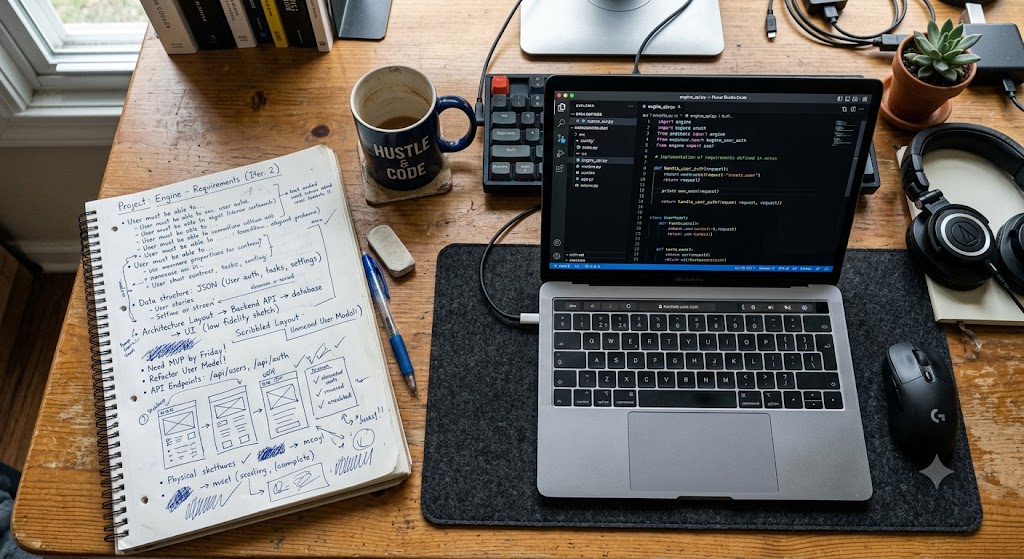
    I’m not a great programmer. Good but nothing more. And that’s with 35 years of experience programming, and almost as much working in software development roles, mostly in QA. That experience does give me a great understanding of requirements, though.

    This knowledge, along with an awareness of security and vulnerability issues, equips me to build applications using vibe coding.

    I’ll admit I don’t have a ton of ideas for the kinds of apps I want. Some, like a note taking alternative to OneNote and Obsidian, seem out of reach. They require cross-platform mobile development, app store deployment, and competing against a massive, saturated market.

    And other projects, like games, are too much work. Yes, I can get a prototype going but where do I take it from there? Trying to devise all the rules and handle playtesting is difficult.

    What I do excel at are utilities. Programs to help automate and assist me while using my computer. And with the experience I have with computers, especially Windows, and the many utilities I’ve written over the last several decades without the assistance of AI, I feel like I understand the workflow involved.

    I say all of this because it’s important to know not only what you need or want, but how you’ll know it is what you need once you begin testing your new vibe coded app.

    To do this effectively, it’s important to have experience with similar apps, and to see the faults in those apps and understand how you might overcome them. If you know it could be better, but you’re not sure how, you might want to spend time with a chatbot and converse about it. Give it an example of an app that isn’t working, what you expect from it, and see if it can offer ideas on how to improve the experience.

    Use these insights to define your requirements and acceptance criteria. Requirements are the what and why. The high-level capabilities of the application, the business value, and/or the functions the app should offer. Acceptance criteria tell you when it’s ready. It involves testing and validation.

    Once the app does what you expect it to do, you’re done. Or almost done.

    You’ll also want to have AI write unit tests that are run regularly. And it’s important to ask it to write code that is manageable, secure, and doesn’t present vulnerabilities. Then take the finished code and run it through a second AI chatbot or coding platform, get its opinions, and continue to improve it.

    I also recommend you upload it to GitHub.com as soon as you can. It’s free for most private or public projects, and it keeps your code safe. It’s worth investing the time and effort in learning how to use GitHub.

    By following these steps, ensuring you know what you want upfront, validating that the resulting application matches your requirements, and safeguarding it in GitHub or a similar on-line repository, you can find success with vibe coding.

    Just know that vibe coding doesn’t take the work out of software development. It just moves it up the stack, so instead of filling the role of coder, you become a business analyst and tester instead.