Category: Operating System

  • I Don’t Miss Obsidian One Bit

    I Don’t Miss Obsidian One Bit

    When I found Obsidian it felt like a major score. OneNote by then was long in the tooth. Useful, yes, full-featured, absolutely, but also old and hard to work with. Plus, OneNote often creates ugly notes as you copy from various sources and paste into it. If you don’t take the time to format notes consistently, the fonts and other formatting get out of control quickly.

    Obsidian not only offered a gorgeous font that was consistently applied to every note, but notes are plain text (markdown), easy to back up, and formatting is as simple as typing a few characters.Then there’s plugins. Thousands of them. Able to handle just about any task Obsidian can’t handle on its own. 

    Problem is, it seemed like I needed a new plugin every week. Every single shortcoming in the application could be overcome by a simple download. This became tiring. Exhausting even.

    Suddenly I was a slave to an application instead of its master. What at first was simple, beautiful even, became ugly, tiresome, and I began to hate it.

    Yes, I hate Obsidian. I can’t stand using it anymore. 

    Then someone at work mentioned using Google Docs for notes. 

    I investigated and it appealed to me for a number of reasons.

    1. While Obsidian requires a plugin to allow semantic search, as long as what you store in Google Drive, which is where Google Docs is hosted, is in a format and structure it understands, it’s fully searchable with Gemini
    2. Similar to OneNote, and unlike Microsoft Word, a Google Docs document can have multiple tabs, or sections, which means one document can serve as the container for many different notes
    3. It’s all backed by Google, which is already my main provider of mobile operating system, e-mail, reminders, calendar events, and AI
    4. It gets me away from plugins, which are a blight on humanity as far as I’m concerned
    5. It offers the same sorts of formatting options as OneNote, but is less complicated

    There are a few downsides because it’s mostly web-based, at least on PC. But so far that hasn’t been an issue. And it has excellent native support on Android.

    In the end, it’s yet another note taking application, but it’s also more than that. Similar to Microsoft’s Office suite, I can create documents, spreadsheets, and presentations all in one place, and I no longer have to keep notes in a completely separate application.

    It doesn’t mean I’ve done away with a family subscription to Office 365. My daughter and I need all the cloud space it provides for our legacy documents, photos, and other files, and I still use Excel on occasion, but I’m finding Google Drive and Google Docs a welcoming new home for most everything else I do.
  • Getting The Sims 3 to Work on a Modern Gaming PC

    Getting The Sims 3 to Work on a Modern Gaming PC

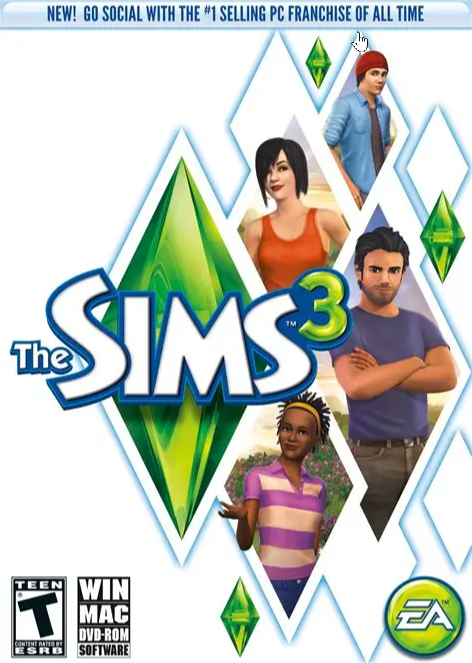
    EA’s The Sims 3 dates back to 2009. At that time, a typical gaming PC had an Intel Core 2 Duo or Core 2 Quad CPU, or an AMD Phenom II X4. The GeForce GTX 260 and GTX 275 were hot GPUs, as well as the AMD Radeon HD 4850 and HD 4870. Most computers had 2 to 4GB RAM, and video cards had 512MG to 1GB RAM. Mechanical hard drives were all the rage.

    Today, those specs have been completely oblierated by even the cheapest modern gaming PC. And while EA has given The Sims 3 a few updates over the years, the game still can’t handle the CPUs, GPUs, or the available memory of current PCs. Gamers have had to rely on community modders and hackers to trick the game into believing it’s running on old PC hardware.

    Recently I spent a day and a half scouring the Internet with the help of Gemini, trying to get The Sims 3 working on my daughter’s PC, to no avail. I tried all the mods, all the hacks, but nothing worked. Later, she had some success by going through a ritual of uninstalling and reinstalling the game, and rebooting her PC. Sometimes she would have to do this for hours until she got it working.

    Enter Cursor.

    I gave it all the info I could find about how to get the game working, plus it performed online searches, and it created a patcher utility that it claimed would allow the game to run. But every time my daughter would patch the game, it wouldn’t work. In the end, I installed Cursor, Git, and GitHub CLI on my daughter’s PC, cloned the code, and worked with Cursor to investigate the issue.

    Cursor scoured the game’s installation folder, examined her saved games, and made fixes. I would test those fixes, provide feedback, and it made more changes. Finally, after a couple of hours of me inputting requirements then testing, the game started running reliably. Further testing, where I shut her PC down, powered it on again, and launched the game, proved it worked. Then I completely uninstalled and reinstalled The Sims 3, patched it, and tried the game.

    It worked.

    Now she can consistently run the game every day, and it works.

    If you’d like to try the patcher, you can install it from my GitHub repository.

    The Sims 3 Patcher Tool

    Please let me or the various Sims communities know if it helps you run the game reliably.

  • Video Game Violence Isn’t Violence

    Video Game Violence Isn’t Violence

    Just as I know that holding a conversation with AI isn’t the same as holding one with another human being, I know that killing virtual beings in a virtual universe isn’t the same as killing in the real world.

    When I started playing computer games in the early 1980s, graphics were primitive. Firing missiles and dropping bombs in the original F-15 Strike Eagle on the Commodore 64 required the suspension of disbelief because everything in the game, including the plane and the world, weren’t realistic looking.

    F-15 Strike Eagle

    It wasn’t long before programmers learned how to make computers like the C64 depict more realistic images. Then came along better hardware, such as the Atari ST and the Amiga. Now killing began to look like killing. Then PCs upped the ante by increasing the number of on-screen colors all the way up to 256, then to millions. This, along with the addition of more pixels and more powerful graphics cards, gave developers unbelievable power.

    By the early 1990s we had cringe-worthy video game violence. Games like Castle Wolfenstein, Mortal Combat, Doom, and more, showed gore that disgusted right-wing Christians and had moms asking for such games to be banned.

    Mortal Kombat

    Today there’s no question of whether violence is depicted with sufficient detail in modern video games. The hardware and software are more than capable, and it no longer requires you to imagine it. You only have to open your eyes to see.

    I’ll admit, I play a lot of violent games. And I’m not a big fan of little indie titles where farming, dating, or running a bookstore is the main focus. I prefer big, Triple-A RPGs, shooters, and similar where making progress involves killing bad guys.

    Castle Wolfenstein

    Sometimes they aren’t even bad guys.

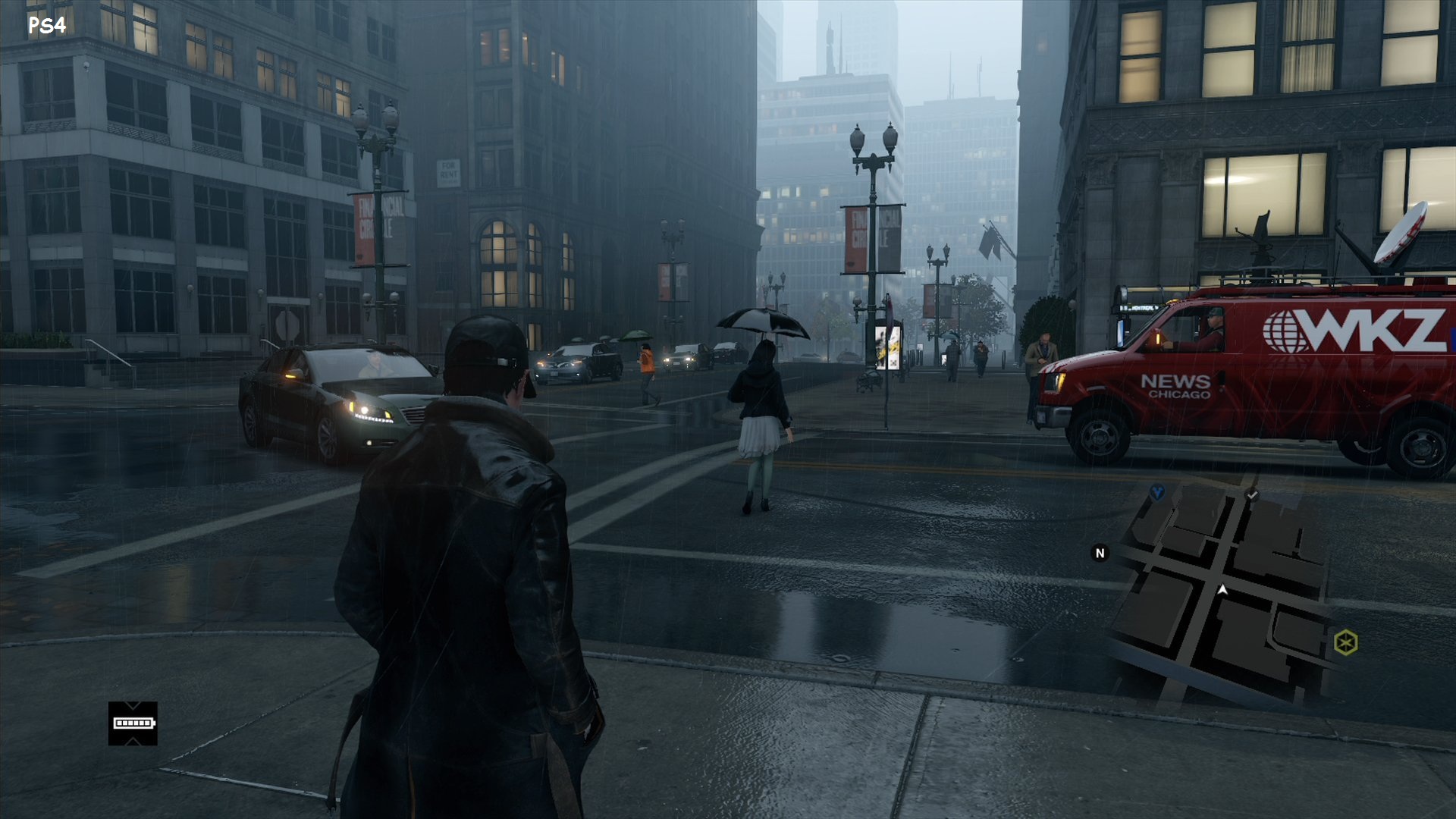
    For example, I’m currently replaying the original WatchDogs, a game I’ve completed several times before. Here, you’re billed as The Vigilante, but the game lets you steal from common folk, shoot and run them over, assassinate people who are supposed to be bad, and otherwise wreak havoc on a simulated version of Chicago.

    Do I cringe as I kill and steal in a game like WatchDogs? I do. And I always have.

    But since I know what I’m doing has nothing to do with reality, and I’m not preparing myself to go out and kill in the real world, these feelings I feel as I kill virtual beings just serve to remind me that, yes, I am human, and yes, life is precious.

    That’s what we need to remember with whatever sort of entertainment we rely on.

    When we read, watch TV, play games, chat with AI, surf the Internet, etc., and what we’re experiencing makes us feel uneasy, and we wonder if maybe it’s reinforcing the worst in us, we are human, we value life, and we make a decision every day to preserve it.

  • The Long Road Back to Amiga: A MiSTer FPGA Post-Mortem

    The Long Road Back to Amiga: A MiSTer FPGA Post-Mortem

    Return to the Amiga

    I am a huge Commodore fan and have been since the very early 1980s. I bought an Amiga 1000 the fall of 1985, and an Amiga 500 a few years later. The Amiga was my sole personal computer until around 1983, and I played hundreds of amazing games on it in the 8 years I owned it.

    When I bought a MiSTer FPGA a month or two ago, it was mostly so I could play many of those old Amiga games again. Little did I know the amount of work it would take to get the games onto the MiSTer.  This post mortem details at least some of the steps I took to fruitlessly try to get Amiga games working as .hdf files on the MiSTer FPGA. 

    AI as the Sole Source of Truth

    I have relied on AI, Gemini in this case, every step away. Interestingly, it has proven to be a double-edged sword. It’s been invaluable in some respects, and downright stupid in others. It’s often provided incorrect information, or led me down pathways that didn’t work. It was also sometimes unwilling to provide any information, which forced me to coax it out of it. 

    I admit I rely heavily on Gemini for most things nowadays, and I relied on it here, to my detriment. Had I been more knowledgeable about these matters, I might have had a better outcome.

     The Journey

    • Amiga Vision – I read that Amiga Vision provided an all-in-one solution with hundreds of games. I just had to download and copy some folders to my SD-CARD. I either downloaded the wrong version (I don’t think that was the case) or it somehow didn’t copy over correctly because it didn’t work. I got errors on the MiSTer FPGA when I tried to use it.
    • Conversion – I downloaded .lha files from WHDLoad and was directed by Gemini to use a Bash script to convert them to .hdf files.This didn’t work even though I was using Git Bash, AmiTools, and some GnuWin32 utilities. In the end I had Cursor fix the script to get it working..
    • Bash –  A critical failure occurred where the script logic, likely due to improper variable handling or file path iteration, effectively mapped the same game file into every generated .hdf file, resulting in a batch of corrupted or redundant images. This was resolved, or at least partially so, by adding a line to the Bash script to delete the tmp folder before copying new game files.
    • Amiga Forever – Attempting to create a boot hard drive (DH0) in Amiga Forever failed because that environment is unable to create SCSI hard drives that are compatible. In the end, I could create the initial .hdf file in Amiga Forever, then had to copy it to the SD-CARD, and boot it in MiSTer FPGA, and from there, set the drive information, partition it, format it, and install Workbench 3.1.
    • WHDLoad – Once I got my Workbench 3.1 hard drive working, I attempted to mount a game .hdf file, but found it was missing WHDLoad. Gemini directed me to use a PowerShell script it created to inject WHDLoad into the .hdf files.
    • WHDLoad Continued – I abandoned the automated batch approach in favor of manually injecting files into a master .hdf. This required using the Amiga shell to manually handle the installation of the WHDLoad package. This was difficult because I had to copy the WHDLoad files to the boot drive, and install it. In the end, I created a floppy disk in Amiga Forever, copied the necessary files to it, then copied that to the SD-CARD, and was able to copy it to the hard drive and install it.
    • Mismatched Files – A recurring issue involved the game .slave file on the .hdf. When the .lha was initially unpacked, the internal naming conventions in the .hdf file didn’t match the expected launch parameters, forcing me to manually rename the slave files within the Amiga environment. Potentially, this would have to be done for every .hdf game file, or maybe the Bash script could be altered to do it for me, which would require converting all of the .lha files again.
    • Amiga Vision Again – Finally, after many false starts, Gemini directed me to again install the AmigaVision structure to source the necessary Kickstart ROMs and .RTB files manually, validating them against the requirements of the specific Workbench 3.1 setup.
    • It Works! –  Bewilderingly, when I mounted Amiga Vision in the MiSTer FPGA, it worked, providing a list of hundreds of games I could play. I tried running a couple, and they just worked!

    Final Thoughts

    This whole experience has been illuminating and frustrating, and I’ve felt helpless while Gemini continued to pump out information that I wasn’t knowledgeable enough to refute. I often got upset with Gemini, raised my voice at it, letting it know how displeased I was with it. This of course made no difference to it.

    I have working games via Amiga Vision and my old floppy images, and I’m happy about that. I’ve also spent more time using AmigaDOS and WorkBench in the last several days than I have in 35 years, which has been fun and interesting. It’s also a bit bewildering to see how antiquated yet perfectly functional this old operating system is.

    The worst part is how much time this has taken. I was fortunate to have a few days off work and spent most of several days doing nothing but this. Of course, I could have spent the time playing games, but this is all new to me, since I have never had a MiSTer FPGA before. Also, I’ve been buying new versions of Amiga Forever for probably 20+ years, but I’ve never spent that much time using it.

    My recommendation if you decide to buy a MiSTer FPGA or similar just to play Amiga games is go with Amiga Vision and hopefully it works for you. Playing games from floppy images works fine, but it’s nice to have a unified launcher and a list of hundreds of games to play.

  • Torment: Tides of Numenara

    Torment: Tides of Numenara

    If you are new to Torment: Tides of Numenera, the combat system might surprise you. While it eventually becomes manageable as you master cyphers and esoteries, it represents a departure from more traditional, action-oriented RPGs. 

    Combat Against The First

    Combat is framed around distinct, narrative-driven “Crises” where environmental interactions, stealth, and dialogue often take precedence over standard hack-and-slash fighting. It can feel clunky compared to other turn-based RPGs because characters move and attack slowly, actions lack physical punch, and the mechanics force players to constantly micro-manage three distinct stat pools just to boost hit percentages. 

    One of the Many Machines Created by The Changing God

    When you first start the game, you’re exposed to systems that seem unusual, especially when weighed against Dungeons and Dragons or other RPGs. The terminology and the whole world is alien. But it’s a consistent universe, one that is unflinching in its detail and story. 

    And then there’s the fact that it’s a fantastic game. It’s a game of immense choice, sprawling dialogue, and a vast array of science-fiction tropes.

    A Maw in the The Bloom

    Torment: Tides of Numenera explores advanced science-fiction tropes ranging from transhumanism, sentient artificial intelligence, and dimensional travel to biomechanical engineering and ancient cosmic phenomena. It centers on the concept of immortality achieved through synthetic body-hopping, investigating the psychological fallout of leaving behind a trail of abandoned, sentient clones. 

    An Encounter with The Sorrow in a Mere

    And it’s almost purely text-based. There is very little spoken dialogue, so prepare yourself to read from beginning to end. Fortunately, it’s exceptionally well written. You may not always understand it, but your mind and heart will be titillated the entire time.

    Torment: Tides of Numenera released in 2017 on Windows, Xbox One, PS4, Mac, and Linux. It has a 81 Metacritic score and a Mostly Positive user rating of 71% on Steam. And while it has similar mechanics to something like Disco Elysium, its developers, InXile Entertainment, created it as the spiritual successor to Planescape: Torment.

    Conversing with The Sorrow

    It definitely has a similar vibe and mechanics to both of those games, and while it’s vastly different in many ways, if you’re a fan of text-heavy games that payoff with choice and consequence, it’s a must-play RPG.

  • Vibe Coding is all About the Requirements

    Vibe Coding is all About the Requirements

    I’m not a great programmer. Good but nothing more. And that’s with 35 years of experience programming, and almost as much working in software development roles, mostly in QA. That experience does give me a great understanding of requirements, though.

    This knowledge, along with an awareness of security and vulnerability issues, equips me to build applications using vibe coding.

    I’ll admit I don’t have a ton of ideas for the kinds of apps I want. Some, like a note taking alternative to OneNote and Obsidian, seem out of reach. They require cross-platform mobile development, app store deployment, and competing against a massive, saturated market.

    And other projects, like games, are too much work. Yes, I can get a prototype going but where do I take it from there? Trying to devise all the rules and handle playtesting is difficult.

    What I do excel at are utilities. Programs to help automate and assist me while using my computer. And with the experience I have with computers, especially Windows, and the many utilities I’ve written over the last several decades without the assistance of AI, I feel like I understand the workflow involved.

    I say all of this because it’s important to know not only what you need or want, but how you’ll know it is what you need once you begin testing your new vibe coded app.

    To do this effectively, it’s important to have experience with similar apps, and to see the faults in those apps and understand how you might overcome them. If you know it could be better, but you’re not sure how, you might want to spend time with a chatbot and converse about it. Give it an example of an app that isn’t working, what you expect from it, and see if it can offer ideas on how to improve the experience.

    Use these insights to define your requirements and acceptance criteria. Requirements are the what and why. The high-level capabilities of the application, the business value, and/or the functions the app should offer. Acceptance criteria tell you when it’s ready. It involves testing and validation.

    Once the app does what you expect it to do, you’re done. Or almost done.

    You’ll also want to have AI write unit tests that are run regularly. And it’s important to ask it to write code that is manageable, secure, and doesn’t present vulnerabilities. Then take the finished code and run it through a second AI chatbot or coding platform, get its opinions, and continue to improve it.

    I also recommend you upload it to GitHub.com as soon as you can. It’s free for most private or public projects, and it keeps your code safe. It’s worth investing the time and effort in learning how to use GitHub.

    By following these steps, ensuring you know what you want upfront, validating that the resulting application matches your requirements, and safeguarding it in GitHub or a similar on-line repository, you can find success with vibe coding.

    Just know that vibe coding doesn’t take the work out of software development. It just moves it up the stack, so instead of filling the role of coder, you become a business analyst and tester instead.

  • The MacBook Neo is a Gift to Windows

    The MacBook Neo is a Gift to Windows

    I’m not the target market for high-end laptops. I don’t care if my laptop is made from plastic or aluminum, has a screen with 500 nits of brightness or 200, and has audiophile quality speakers or sounds kind of terrible.

    I mostly want a laptop that can get the job done.

    Having said that, I realize many of you do care, which is why the MacBook Neo is important. It’s the MacBook for people who can’t afford a MacBook.

    The thing is, this is the wakeup call that the Windows platform has needed, and while it may have taken them years to catch up to the MacBook Air, it’s taking just a couple of months for them to catch up the Neo.

    It won’t be long before there are multiple colorful laptops from every manufacturer that match the Neo in not only price, but in features. They’ll have better build quality then we usually see at this price point, as well as top-notch screens, trackpads, and speakers. They’ll soon match or exceed those of the Neo, and Apple and the rest will be locked in a battle of who can build the best sub-$1000 laptop.

    In other words, Apple has gifted Windows with the best present it could ever have thought of. Not only did it wake up Asus, Dell, and many others, but Microsoft is now actively improving Windows, desperately trying to prove to the world that it’s still the operating system to beat.

    It won’t be long before we see these improvements make a huge difference in how Windows works, how reliable it is, and how easy and pleasant it is to use. We’ll all have access to our own low-cost Windows laptops that provide quality multitasking that I expect will beat anything Apple can do.

    This should signal to Apple that they need to up their game, provide a new Neo that beats not only the original, but also all of the quality Windows laptops that came in its wake.

    Now we just need to wait.